
What is KiCad?
KiCad is a free and open-source software suite for Electronic Design Automation (EDA), used for designing electronic circuit schematics and printed circuit boards (PCBs). It is a powerful tool for professionals and hobbyists and runs on Windows, macOS, and Linux.
KiCad’s integrated environment offers a comprehensive suite of tools for the entire electronic design process:
Schematic editor : Use a vast library of existing components or create your own custom symbols to build a circuit diagram. Features include hierarchical schematics for complex designs and an electrical rules checker (ERC).
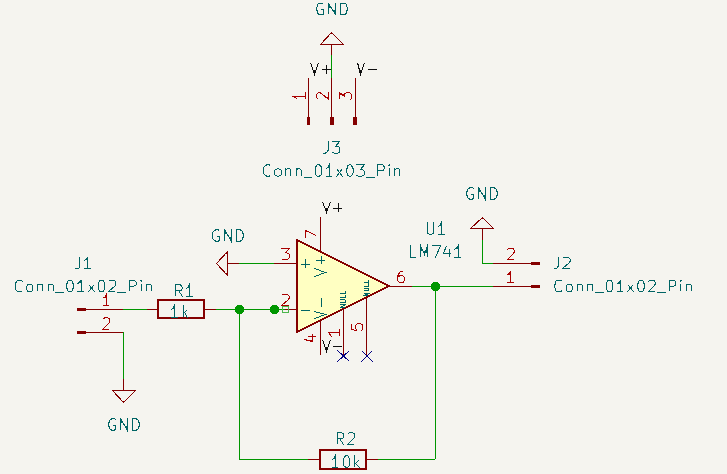 Schematic
Integrated simulation: Verify your circuit’s behavior with the built-in SPICE simulator before committing to a physical layout.
PCB layout editor: Design the physical layout of your circuit board, from simple two-sided boards to complex, modern designs with up to 32 copper layers. It includes advanced features like a push-and-shove interactive router and customizable design rule checking (DRC).
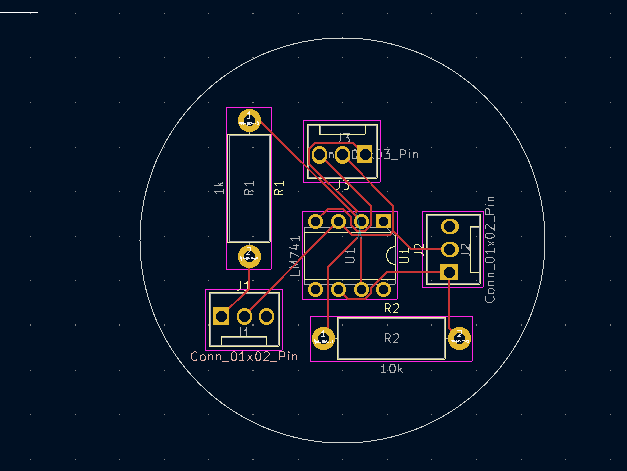 Layout
Footprint and symbol editors: Create custom component footprints and schematic symbols to add to your personal libraries.
3D viewer: Inspect your PCB design in a 3D environment to check for mechanical fit and visualize the finished product.
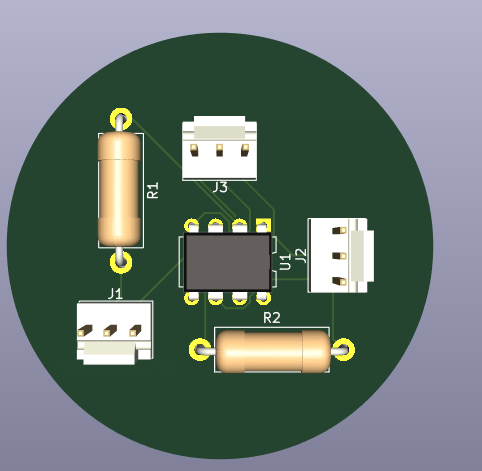 Schematic
Manufacturing file generation: Generate standard manufacturing files, such as Gerber files, bills of materials (BOM), and artwork, to send to a PCB fabrication house.
